Demo Mode
This page will show you a sample scene named Demo Mode. It will spawn a test Avatar that can be moved with the mouse and keyboard or virtual joystick and buttons.
Here is a list of all the features:
- Scene with textured fences, floor, and skybox.
- Player controller that spawns a test Avatar and uses input to move, run, and jump the Avatar.
- A toggle to use mobile-friendly UI for input or keyboard and mouse input.
This page will be using version X.Y.Z of the Genies SDK Avatar package, but replace it with the latest package version.
Import the Sample Scene
Import with Bootstrap Wizard
From the top menu, select Tools > Genies > SDK Bootstrap Wizard window. At the bottom, click the Import Sample Scenes button.

Import with Package Manager
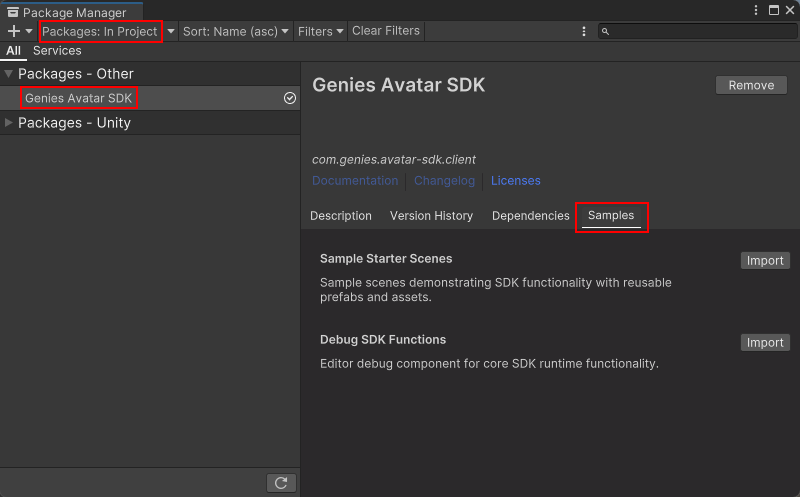
From the top menu, select Windows > Package Manager window. Then select Packages: In Project on the top left dropdown and also select the Genies Avatar SDK package on the left side menu.
Click the Samples tab and click the Import button next to the Sample Starter Scenes sample.
Open the Sample Scene
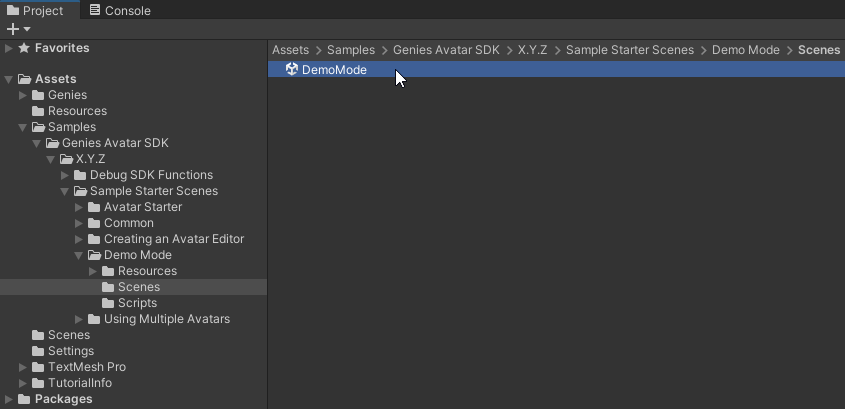
In your Project window, open the Assets > Samples > Genies Avatar SDK > X.Y.Z > Sample Starter Scenes > Demo Mode > Scenes folder. Double-click the DemoMode scene to open it.
Test the Sample Scene
Disable Touch Controls
In the Hierarchy, select the AvatarSpawn object. In the Inspector, make sure the Enable Touch Controls property is deactivated.
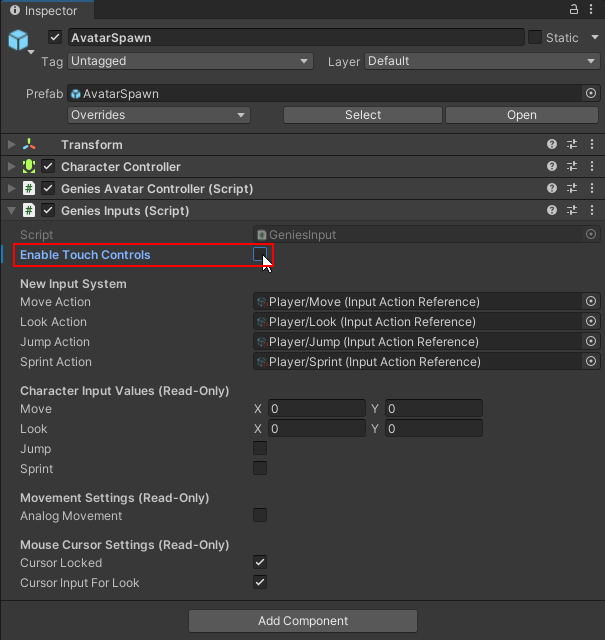
Touch controls allows for mobile devices to use a joystick UI and buttons to move and jump the Avatar.
Play the Scene
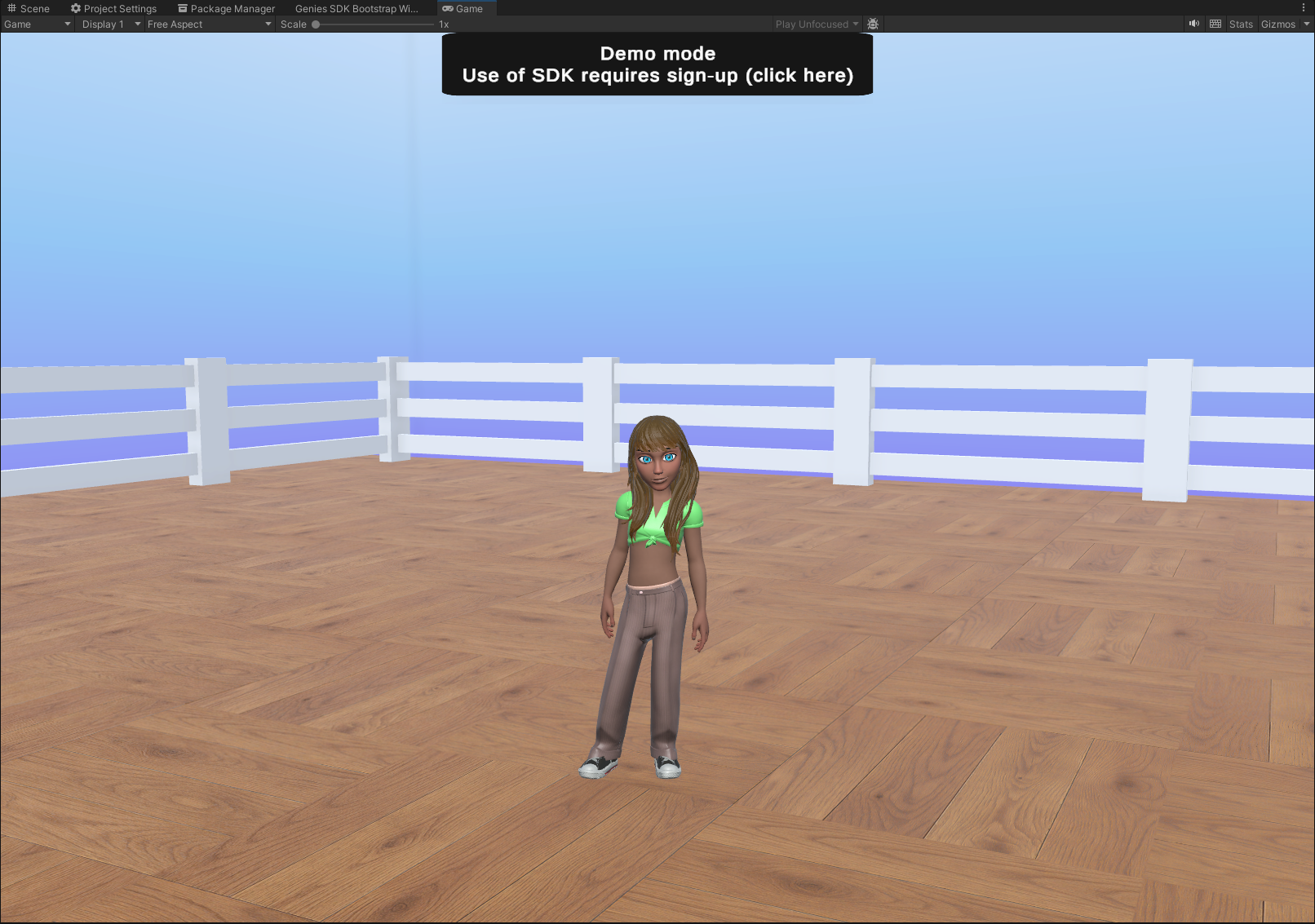
Press the Play button. The test Avatar should spawn and can be moved using the WASD keys to move, space bar to jump, shift key to sprint, and mouse to rotate the camera.
Conclusion
This demo mode is not meant to be used for development. It is a demo of what an Avatar will look like. In order to use the Genies Avatar SDK, developers need to create a Genies account and register their project as a Genies app.
Please see the Registration page to get access to the Genies Avatar SDK.