Progressive Loading
Avatars can load progressively for a faster time-to-screen experience. A lightweight silhouette appears immediately, followed by low-resolution assets, then the full-fidelity avatar - so users see something on screen almost instantly while higher-quality assets stream in behind the scenes.
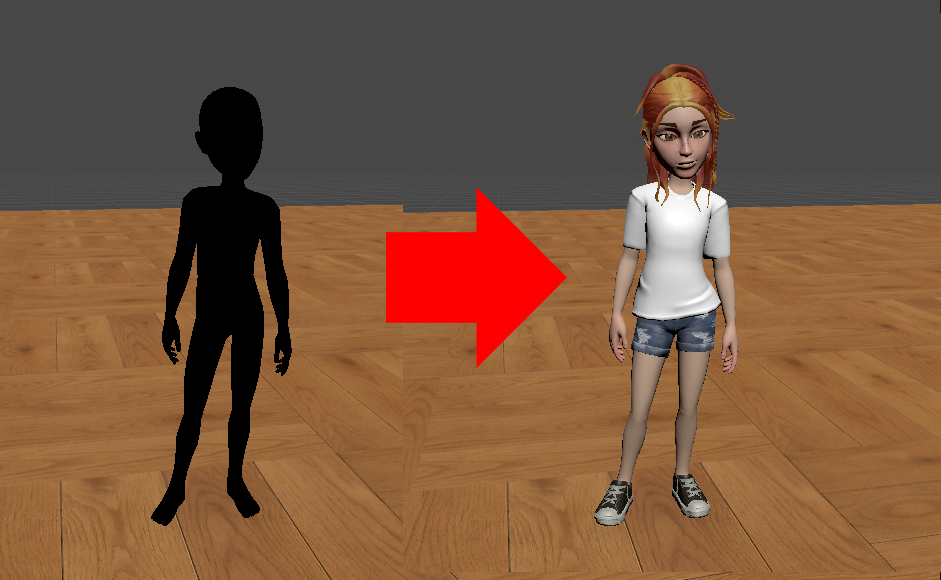
Key Features
- Configurable LODs - Choose target quality via
AvatarLods:High(2048),Medium(1024), orLow(512). All load methods accept an optionalAvatarLods[]parameter to control resolution. ManagedAvatar.LoadingCompleteevent - Fires when the full-fidelity avatar is ready. Use this to trigger UI transitions or gameplay logic that depends on the avatar being fully loaded.
Async load methods (e.g., LoadUserAvatarAsync) now return when the silhouette is ready, before the full avatar has rendered. Use LoadingComplete or the OnLoadingComplete callback in LoadAvatarOptions to detect when loading is fully complete.
Progressive Loading APIs
LoadAvatarOptions
struct Genies.Sdk.LoadAvatarOptions
Options for progressively loading an Avatar with the LoadAvatarAsync function.
LoadAvatarOptions.User- loads the authenticated user's avatar, or a specific user's avatar by ID.LoadAvatarOptions.ByDefinition- loads an avatar from a cached JSON definition string for optimized subsequent loads.LoadAvatarOptions.Default- loads the default fallback avatar.LoadAvatarOptions.Test - loads a test avatar for demo mode and offline testing.
Load Avatar Async Function
AvatarSdk.LoadAvatarAsync<T>(T options) where T : ILoadAvatarOptions
Loads an Avatar using the provided load options and returns a ManagedAvatar reference. This is the preferred method for loading Avatars.
For faster load times, consider pre-caching avatar assets ahead of time. Check out the Precache Assets page for more information.
Avatar Lods Enum
enum Genies.Sdk.AvatarLods
Quality tiers for avatar LOD. Currently affects material/texture quality only. Mesh LOD support will be added in a future update.
Examples
Progressively Load User Avatar
This example script loads a user's Avatar progressively:
using UnityEngine;
using Genies.Sdk;

public class LoadAvatarProgressivelyTest : MonoBehaviour
{
    [SerializeField] private  RuntimeAnimatorController animatorController;

    private void Start()
    {
        //Load the local avatar once the user is logged in
        if(AvatarSdk.IsLoggedIn)
        {
            LoadAvatarProgressively();
            return;
        }
        AvatarSdk.Events.UserLoggedIn += LoadAvatarProgressively;
    }

    private void OnDestroy()
    {
         AvatarSdk.Events.UserLoggedIn -= LoadAvatarProgressively;
    }

    private async void LoadAvatarProgressively()
    {
      var avatar = await AvatarSdk.LoadAvatarAsync(new LoadAvatarOptions.User
        {
          AvatarName = "User Avatar",
          Parent = this.transform,
          PlayerAnimationController = animatorController,
        });
    }
}